Product
Manage from your AI
Write a single rule or a whole standard operating procedure in plain language. composes it into the policies, knowledge entries, and agent instructions that make it real. The same conversation that drafts a single reply stands up a whole new way of working.
Twosurfacesinto.
Bothbuilttodorealwork.
How it connects
One open protocol between your AI and the platform
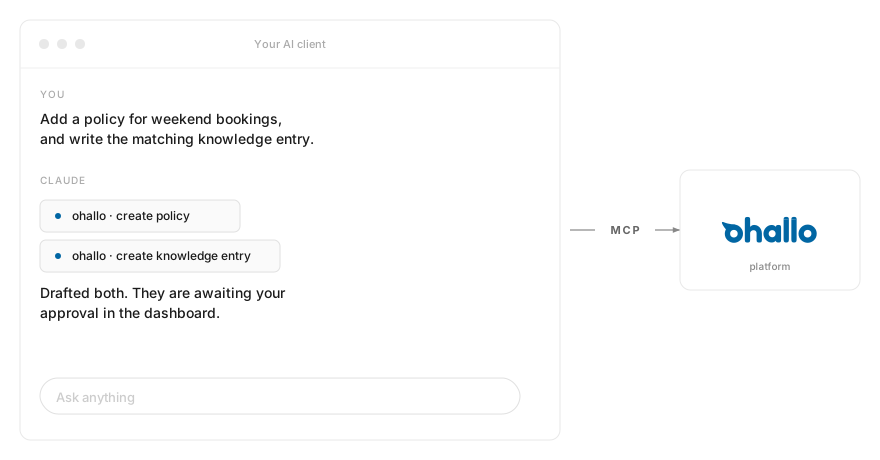
[logo] is exposed as a Model Context Protocol server. The AI client your team already runs connects to it the same way it connects to any other tool, and every capability of the platform becomes something your AI can call on.
Why this matters
A second way into oHallo, in a tool your team already uses
The dashboard is still where the visual work lives. now also runs from the AI client your team already keeps open, so plain-language intent can become real configuration without leaving that window.
In a tool your team already uses
Your team already lives in their AI client. oHallo meets them there with the same operator capabilities the dashboard exposes.
Plain language as input
Describe what you need. oHallo composes the policies, knowledge entries, and agent instructions to match, ready for your team to review and approve.
Both surfaces under one authority
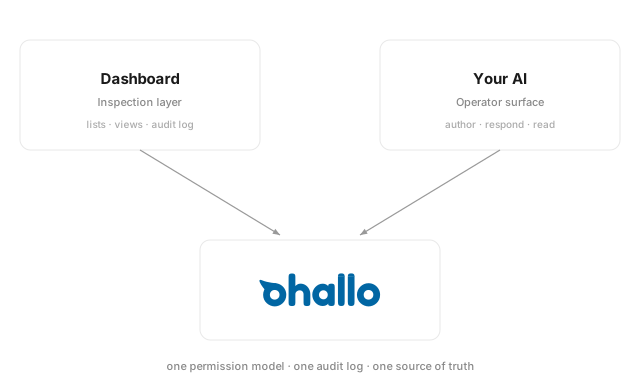
Your team's scopes, audit log, and approval gates apply equally to both surfaces. The same permissions whether they act in the dashboard or through their AI.
Two surfaces, one platform
A dashboard for the visual work, an AI client for plain-language intent
The dashboard is where the visual work lives: conversation lists, account views, the attention queue, audit logs, dashboards that benefit from screen real estate. The AI client is where the conversational work lives: describing what should happen and watching oHallo compose the change. Both surfaces share one platform, one set of permissions, one audit log. Pick the surface that fits the work in front of you.
Get started
Works with the AI client your team already runs
 Claude Desktop
A prebuilt extension for the AI client your team is most likely already running.
See the extensionAny MCP-compatible client
Connect directly over the open Model Context Protocol with bearer authentication.
Connection detailsManage oHallo from your AI
Install the extension or connect directly over MCP. Your operator surface lives in the AI window your team already has open.